

Juggling grammar proofreading and translation across separate platforms increases friction and privacy risk for writers, students, and content teams. Many alternatives lock advanced features behind subscriptions or limit multilingual support, which forces users to rely on patchwork solutions. This comparison outlines price, language coverage, privacy claims, and feature set so writers, students, and content teams can pick a tool that fits their editing needs.
Table of Contents
InspiroWrite
At a Glance
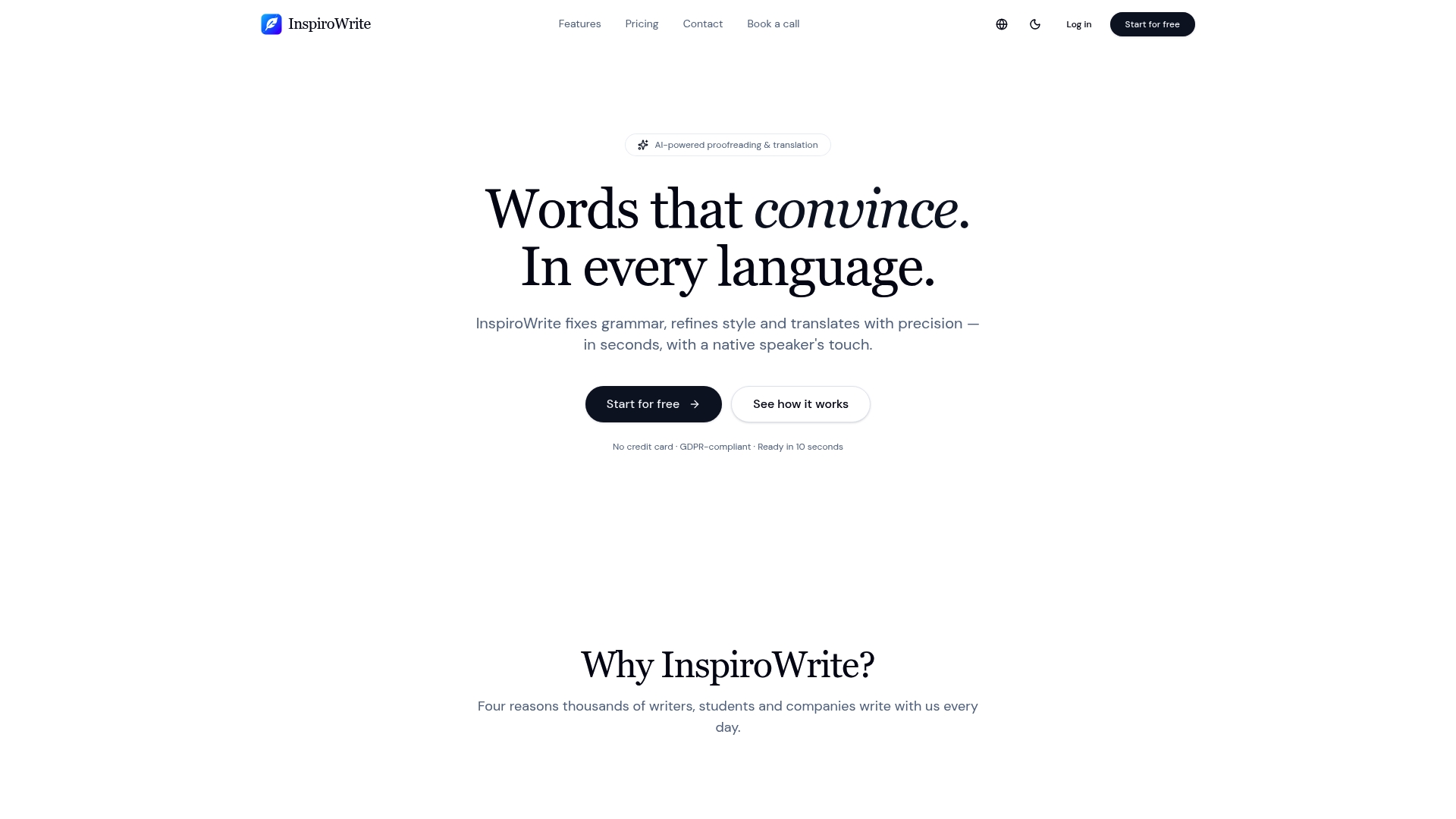
The vendor advertises fast streaming results within seconds. The tool pairs grammar and style corrections with translation across multiple languages. It also highlights a privacy policy that keeps submitted text private and states texts are not used to train third party models. The product targets writers, students, and companies that need quick edits and translations.
Core Features
InspiroWrite offers AI proofreading that corrects grammar, refines style, and adjusts tone across several modes such as proofread, translate, rephrase, shorten, expand, formal, casual, and SEO. The service supports multiple languages including English, German, French, Spanish, and Hungarian, and it can return streaming edits to the interface for faster review. The vendor includes premium AI model choices like Claude Sonnet 4 and provides a demo route for prospective business customers.
Key Differentiator
InspiroWrite centres on fast streaming AI results combined with an explicit privacy focus and broad multilingual support within one interface. That emphasis means you can get near-immediate rewrite suggestions while the company advertises that submitted material remains private and is not shared to train external models. For teams working across languages, the single-platform approach removes the need to juggle separate translation and proofreading tools.
Pros
The tool delivers rapid corrections and stylistic suggestions that shorten edit cycles and reduce manual passes. It supports many modes and languages so you can switch from translation to formal tone in a single session without switching tools. The privacy-first stance reduces risk when you handle confidential drafts or internal documents. Flexible subscription plans include a free tier and paid tiers, which gives individuals a low-cost entry point and companies a path to negotiated business terms.
Cons
- Free accounts are limited to 1,000 characters per month, which will not suit sustained editing work for regular users.
Who It's For
Writers and students who want fast grammar and style fixes in multiple languages will find this service practical. Small content teams that translate blog posts or product copy into a few languages can reduce friction by staying inside one tool. Businesses with sensitive content who prefer a vendor that states it will not reuse text for model training will find the privacy claim relevant.
Unique Value Proposition
The platform includes a demo option and business billing through Stripe, which makes procurement and trialing straightforward for professional teams. That payment and demo workflow shortens procurement friction for companies that need to test privacy controls and translation accuracy before committing. For solo professionals the nominal Pro price and free tier reduce the financial risk of adopting a new proofreading and translation workflow.
Real World Use Case
A content marketing team uses InspiroWrite to proofread and translate blog posts into several languages while keeping tone consistent across versions. Editors receive streaming edits and apply final touches within minutes, which speeds publication. The privacy policy helps the team keep internal drafts off wider training sets during cross-border translations.
Pricing
A free tier offers basic use with 1,000 characters per month. Pro costs €4.99/month and includes unlimited rewrites, multiple modes, and support for 16 languages. Business plans use custom pricing and are available via a demo and direct quote.
Website: https://inspirowrite.com
Grammarly
At a Glance
Supports checks and suggestions in over 25 languages for grammar, tone, and clarity. Grammarly includes plagiarism detection and citation support alongside sentence rewriting and AI generated prompts. The combination of writing checks and team style tools makes it a common choice for both individual writers and organisations.
Core Features
Grammarly offers real time grammar, spelling, and punctuation checking together with tone adjustment suggestions and sentence rewriting for clarity. The tool includes plagiarism detection, citation support, and AI generated prompts that help draft or rework passages. Team features add style guides, snippets, and brand voice controls for collaborative workflows.
Key Differentiator
Grammarly adapts contextual suggestions to individual and organisational tone and style using advanced AI. That focus on tone plus team style controls separates it from simpler grammar checkers.
Pros
Grammarly delivers broad platform support, working in browsers, major office apps, and email clients so you can edit where you write. The vendor advertises enterprise grade security and administrative controls that appeal to organisations handling sensitive documents. It combines proofreading, tone adjustment, and content generation in one product, which reduces the need to switch between multiple writing tools.
Cons
- Over reliance on automated suggestions can nudge writing toward a uniform voice and reduce original authorial style.
- Team and enterprise pricing can be expensive for small organisations with tight budgets.
- The feature set can feel complex for casual users who only need basic proofreading.
- Advanced AI prompts and team controls sit behind higher cost tiers.
When It May Not Fit
If you need subtle human editing for creative prose, Grammarly will not fully replace an experienced editor. Teams wanting a low cost solution for a few users may find the team tiers hard to justify. Organisations with strict on premise requirements should check privacy provisions before committing.
Notable Integrations
- Gmail
- Google Docs
- Microsoft Word and Outlook
- Slack
- Google Chrome, Safari, Firefox, and Edge extensions
Who It's For
Grammarly suits students and professionals who want fast, contextual writing feedback and clearer emails and reports. It also fits teams that need a single tool to maintain brand voice and share style guides. Organisations that require administrative controls and reporting will find the management features useful.
Real World Use Case
A marketing team uses Grammarly to keep public materials on brand and free of errors while preserving consistent tone across channels. Individual researchers use the plagiarism detector and citation support when preparing academic drafts. Small business owners use the browser extension to tidy customer emails before sending.
Pricing
Grammarly offers a free tier plus a Pro plan at $12 USD/month when billed annually, and custom pricing for Enterprise accounts. The free tier covers basic checks while Pro unlocks advanced suggestions and plagiarism checks for individuals.
Website: https://grammarly.com
ProWritingAid
At a Glance
ProWritingAid offers deep story analysis tools such as plot analysis, character analysis, a virtual beta reader, and marketability reports. Authors can move beyond line edits to spot pacing problems and character inconsistencies. The product also emphasises user privacy and states it does not use submitted texts to train AI.
Core Features
The suite centres on a Grammar Checker, a Paraphrasing Tool, and Manuscript Analysis that produce a variety of targeted reports. Additional capabilities include plot and character analysis, chapter critique, a story canvas, and a virtual beta reader that flags structural issues. Browser extensions and app integrations help you work inside Word, Google Docs, Scrivener, and common browsers.
Key Differentiator
The standout offering is story-specific feedback rather than only sentence level edits. ProWritingAid provides reports that call out pacing, plot holes, and marketability, which most grammar checkers do not deliver. That focus suits writers preparing manuscripts for agents or publishers and people who need narrative structure advice.
Pros
ProWritingAid gives writers in-depth, actionable analysis aimed at storytelling and manuscript health, not just grammar. It integrates with MS Word, Google Docs, Scrivener, and major browsers so you can edit where you already write. Multiple subscription tiers and lifetime licence options give flexibility for occasional users and professional authors. The vendor also states that user texts are not used to train AI, which will matter to privacy conscious writers.
Cons
- The breadth of tools can feel overwhelming for users who only want a quick grammar check. Some learning is required to use the writing reports effectively.
- Pricing is higher than basic grammar tools, especially once you need premium features or credit based manuscript reports.
- Several advanced features require purchased credits and are not available on the free plan.
- Automated analysis cannot replace detailed human editing for subtle voice, tone, or literary judgement.
When It May Not Fit
ProWritingAid may be less effective if you mainly edit very short text snippets or simple email copy. The tool is not tailored for dense academic papers where narrative feedback offers little value. Writers who require line by line human copyediting will find some features insufficient without professional services.
Notable Integrations
ProWritingAid integrates with common writing platforms and browsers.
- MS Word
- Google Docs
- Scrivener
- Chrome Extension
- Firefox Extension
- Edge Extension
- Microsoft Office
Who It's For
Authors, novelists, and storytellers who need structural feedback and narrative checks will gain most from ProWritingAid. Students and professionals who write long form content can use the reports to tighten argument flow and clarity. Editors who want a technical first pass before human review will also find the tool useful.
Real World Use Case
A novelist runs a full manuscript analysis to locate pacing slow points and character inconsistency before sharing with beta readers. The writer uses the story canvas to reorganise scenes and the chapter critique to focus revision time. Credit based in depth reports highlight issues that were not obvious during initial drafting.
Pricing
Plans range from a free tier with limited features to subscription options and lifetime licences. Specific tiers include Premium, Premium Pro, and Premium Pro Lifetime, and some advanced services need purchased credits for single use reports.
Website: https://prowritingaid.com
Ginger Software
At a Glance
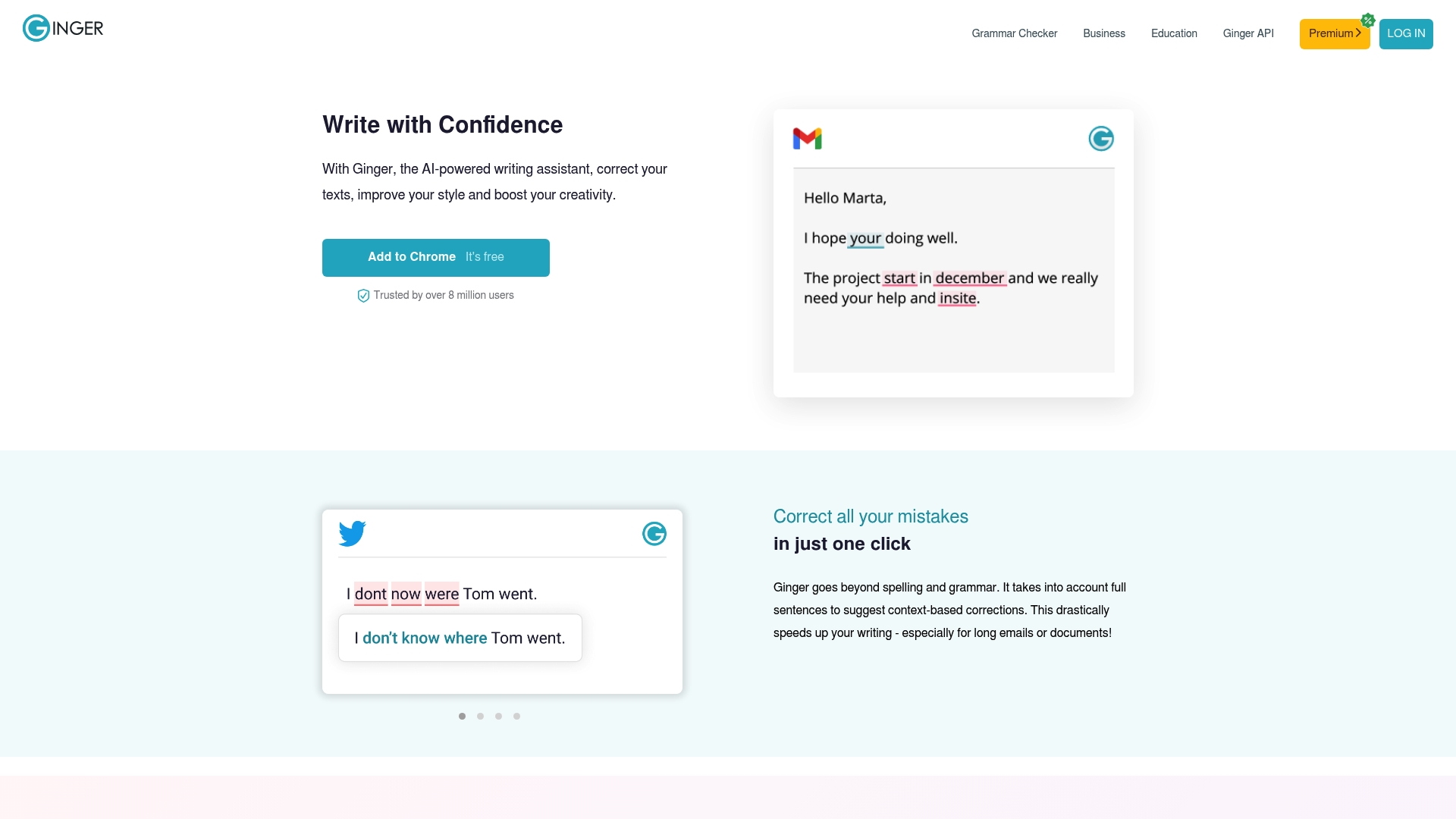
Ginger Software reports over 8 million users worldwide. This scale coincides with a broad set of writing tools that target grammar, rephrasing, translation, punctuation, and spelling. The product aims at individuals, schools, and teams who need faster, contextual writing help.
Core Features
Ginger combines a grammar checker with a sentence rephraser, translation, punctuation checks, and a spell checker across multiple platforms. It also includes a Personal Trainer, online proofreading, an essay checker, and an English dictionary available in browser, desktop, and mobile clients.
Key Differentiator
The vendor positions the principal strength as AI powered context aware corrections paired with personalised learning tools that adapt to repeated mistakes. That combination makes the software act as both a correction engine and a learning aid. Teams and teachers can track recurring error patterns and turn them into training opportunities.
Pros
Ginger offers a broad feature set that covers the common needs of writers, students, and office teams, and the tools are available across browsers, desktop, and mobile. Its Personal Trainer helps users practise and reduce repeated mistakes, which improves writing skills over time. Integration into MS Office and learning management systems makes it practical for classroom and business workflows.
Cons
- Some users report that AI suggestions are occasionally inaccurate or contextually inappropriate, which slows review.
- Free features are limited. Full functionality requires a subscription.
- The interface can feel overwhelming to new users because of the many available tools.
- Advanced educational and team features appear to require enterprise level plans, which may cost small organisations more than expected.
When It May Not Fit
If you need reliable support for languages other than English, this product may not meet your needs. Casual users who want free tools without subscriptions will find the free tier restricted. Buyers who require near flawless suggestions for highly nuanced text may prefer a different tool because of occasional inaccuracies.
Notable Integrations
- Browser extensions for Chrome and Edge.
- Desktop applications for Mac and Windows.
- MS Office add in for Word and Outlook.
- Mobile apps for iOS and Android.
Who It's For
This product suits English learners, students, educators, and professionals who need consistent correction and practice. Small marketing teams and communications staff will benefit from faster proofreading and rephrasing. Educational institutions looking for a supplementary learning tool will find the Personal Trainer useful.
Real World Use Case
A marketing team uses Ginger to review and refine email campaigns for clarity and tone. Team members use the sentence rephraser to test alternative phrasing and the Personal Trainer to reduce common grammatical errors across the team. The result is more consistent brand messaging in external communications.
Pricing
Pricing is listed as Not applicable — informational only. Specific subscription tiers or per seat costs are not provided here.
Website: https://gingersoftware.com
Comparison of alternatives
Privacy-focused text services vary significantly, balancing multilingual support and editing depth against subscription pricing and usage thresholds.
Editing Scope and Depth
Grammarly supports over 25 languages and offers sophisticated tone adjustment through advanced AI algorithms, which is helpful for branding coherence but risks imposing a uniform voice. ProWritingAid provides in-depth narrative-focused analysis, such as pacing and character reports, positioning it as the ideal tool for novelists refining their manuscripts. In comparison, InspiroWrite excels in offering immediate grammatical and stylistic revisions alongside translation capabilities tailored to writers and multinational teams. Ginger Software complements proofreading with contextual error correction and personalised language learning tools, though its results can be inconsistent for nuanced English texts.
Accessibility and Pricing
Grammarly maintains integrations across office suites and email systems but may lead to higher adoption costs for teams. ProWritingAid allows lifetime access through one-off licences, offering long-term affordability for authors focused on manuscript development. InspiroWrite stands out by offering rapid streaming functionality in its Pro tier, supporting 16 languages at €4.99 monthly, making it accessible for small content teams. Ginger Software distributes services across multiple devices, though advanced learning features might necessitate institutional subscriptions.
Best fit
- Multinational content teams with privacy concerns will value InspiroWrite’s commitment to not using submitted texts for AI training paired with its extensive language support.
- Authors seeking in-depth manuscript analyses will benefit from ProWritingAid’s narrative editing reports such as pacing analysis and character development advice.
- Students leveraging citation support and plagiarism detection can turn to Grammarly to refine academic drafts and maintain integrity.
- Educators training student language skills will find Ginger Software’s Personal Trainer system an effective supplementary tool for skill improvement.
Our pick
InspiroWrite excels for users balancing numerous multilingual edits with confidentiality requirements, offering quick revisions in a streamlined workflow. While some competitors outperform in niche writing needs, such as manuscript analysis or educational training, InspiroWrite combines essential features—including streaming edits and privacy focus—into one accessible platform.
Choose the platform that best matches your writing needs by comparing features, privacy policies, and user scenarios.
| Product | Core Feature | Key Differentiator | Best For | Pricing | Notable Limitation |
|---|---|---|---|---|---|
| Inspirowrite | Grammar checks, tone adjustments, translations | Fast multilingual streaming edits, privacy-first | Writers, teams, students | Free (1,000 chars/month), Pro €4.99/month | Free tier restricts sustained usage |
| Grammarly | Grammar, tone, plagiarism checks, style guides | Contextual AI for tone and style controls | Students, professionals, organisations | Free, Pro $12 USD/month billed annually | High cost for advanced team features |
| ProWritingAid | Grammar, plot analysis, story critique | In-depth narrative analysis tools for authors | Novelists, long-form content authors | Free tier, Pro annual or lifetime plans | Advanced tools require additional credit purchase |
| Ginger Software | Grammar, spelling, rephrasing, translation | Context-based corrections and learning tools | Students, educators, English learners | Price not published | Limited free features; occasional inaccurate AI suggestions |
Which Challenges Do Writers Face When Choosing Rewording.io Alternatives?
Many writers, students, and teams struggle with slow editing tools that compromise privacy and lack support for multiple languages. Constant delays and uncertainty over how their text is used to train AI models can hamper confidence and productivity. InspiroWrite offers an effective answer to these issues by delivering rapid AI-powered proofreading and translation. It guarantees that submitted texts remain confidential and are not shared to train external models.
With support for multiple editing modes and languages within one platform, InspiroWrite removes the need to switch between separate translation and style tools. This streamlines the process for small content teams and individuals needing immediate, professional refinement.
The fastest way to see how InspiroWrite cuts down edit cycles and shields your data privacy is to visit InspiroWrite. Experience proofreading and translation feedback in seconds, ensuring polished content without compromising confidentiality.
FAQ
What features make Inspirowrite suitable for grammar proofreading and translation?
Inspirowrite excels in grammar proofreading and translation by offering AI-driven proofreading that corrects grammar, refines style, and supports multiple languages. Its extensive range of modes—including proofread, translate, and SEO—ensures that users can tailor the tool to their specific writing needs. Writers and students can quickly make necessary corrections and adjustments without switching platforms.
How does Grammarly compare to Inspirowrite for grammar proofreading?
Grammarly is known for its real-time grammar checking and tone adjustment capabilities across various platforms, making it an excellent choice for many writers. Inspirowrite, on the other hand, focuses on fast streaming results and a privacy-first approach that keeps submitted materials confidential, which is ideal for teams working on sensitive content.
What language options does Inspirowrite provide for users?
Inspirowrite supports multiple languages, including English, German, French, Spanish, and Hungarian, allowing users to edit and translate text efficiently. This multilingual capability is particularly beneficial for writers and businesses needing to cater to diverse audiences.
Can I use Inspirowrite for confidential documents?
Yes, Inspirowrite prioritises privacy by stating that submitted texts will not be used to train third-party models. This commitment to privacy allows businesses to use the platform for confidential drafts without concerns about data security.
What is the monthly character limit for free accounts on Inspirowrite?
Free accounts on Inspirowrite are limited to 1,000 characters per month, which may not be suitable for users needing extensive editing work. However, the Pro plan at €4.99/month allows for unlimited rewrites and more functionalities.