

Finding editing and proofreading software that protects privacy, handles multilingual drafts, and offers both automated and editorial controls is still a challenge for teams and individuals. Too many tools either force you into rigid subscriptions with missing language support or require an opaque quote process just to see business pricing. This comparison details privacy policies, academic and publishing features, and language coverage across four leading alternatives so you can pick editing software that fits your workflow without hidden hoops.
Table of Contents
- InspiroWrite
- PaperCheck
- Editrix
- Hemingway Editor Plus
- Comparative Analysis of Editing and Proofreading Tools
InspiroWrite
At a Glance
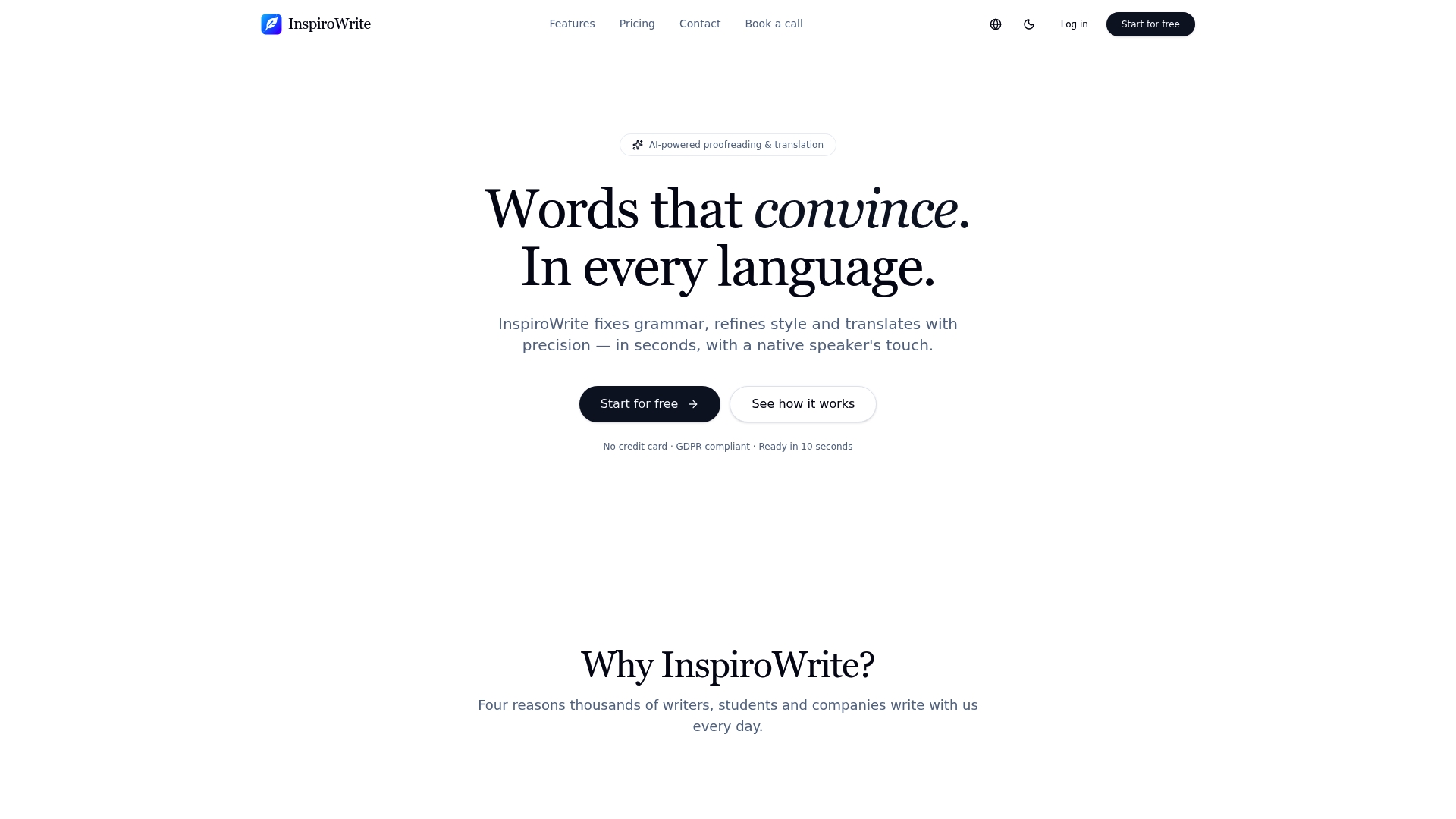
The vendor advertises a privacy first approach: user content remains confidential and is not used to train AI models. That claim pairs with a promise of streaming edits and translations the company says appear in seconds.
Core Features
- AI proofreading for grammar, style and tone across short and long text.
- Multilingual support covering German, English, French, Spanish, Hungarian and more for translation and proofreading.
- Lightning-fast streaming results and multiple editing modes including rephrase, shorten, expand, formal, casual and SEO.
- Archive functions such as history, file upload and export for ongoing projects.
Key Differentiator
What sets this tool apart is the focus on refining style and tone alongside language conversion. The product data emphasises a native-speaker result rather than literal translation, and links that aim to the vendor's speed claim above for quick iteration.
Pros
-
Fast, automated editing that moves drafts from rough to readable in a few passes. This helps writers and students shave hours from revision cycles.
-
Broad language coverage so multilingual teams can proofread and translate without juggling separate regional tools.
-
A clear privacy promise that encourages sharing sensitive drafts. That posture is useful for in-house marketing and legal teams who want fewer data concerns.
-
Business plans include team and API access, letting companies centralise automation and integrate proofreading into content pipelines.
-
Flexible plan structure: a free tier for occasional users and a low-cost Pro option for individuals who need regular access.
Cons
- Business plans require a quote and may involve a negotiation process, which can delay onboarding for small teams that need immediate access.
Who It’s For
Writers, students and companies that need quick, multilingual proofreading and translation with minimal fuss. It suits teams that prioritise privacy and fast iteration over bespoke translation workflows.
Unique Value Proposition
That privacy claim above combined with team and API capabilities changes how organisations share drafts. Legal-sensitive copy and early-stage campaign text can move through review without routing to external translators, reducing coordination friction and preserving intellectual property in-house.
Real World Use Case
A multinational marketing team uses InspiroWrite to proofread and translate campaign copy into German, French and Spanish while retaining brand tone. The workflow reduces back-and-forth with external translators and keeps messaging consistent across markets.
Pricing
A free tier covers basic needs. Pro starts at 4.99 €/month for individual users. Business options are available via customised quotes for teams and API access.
Website: https://inspirowrite.com
PaperCheck
At a Glance
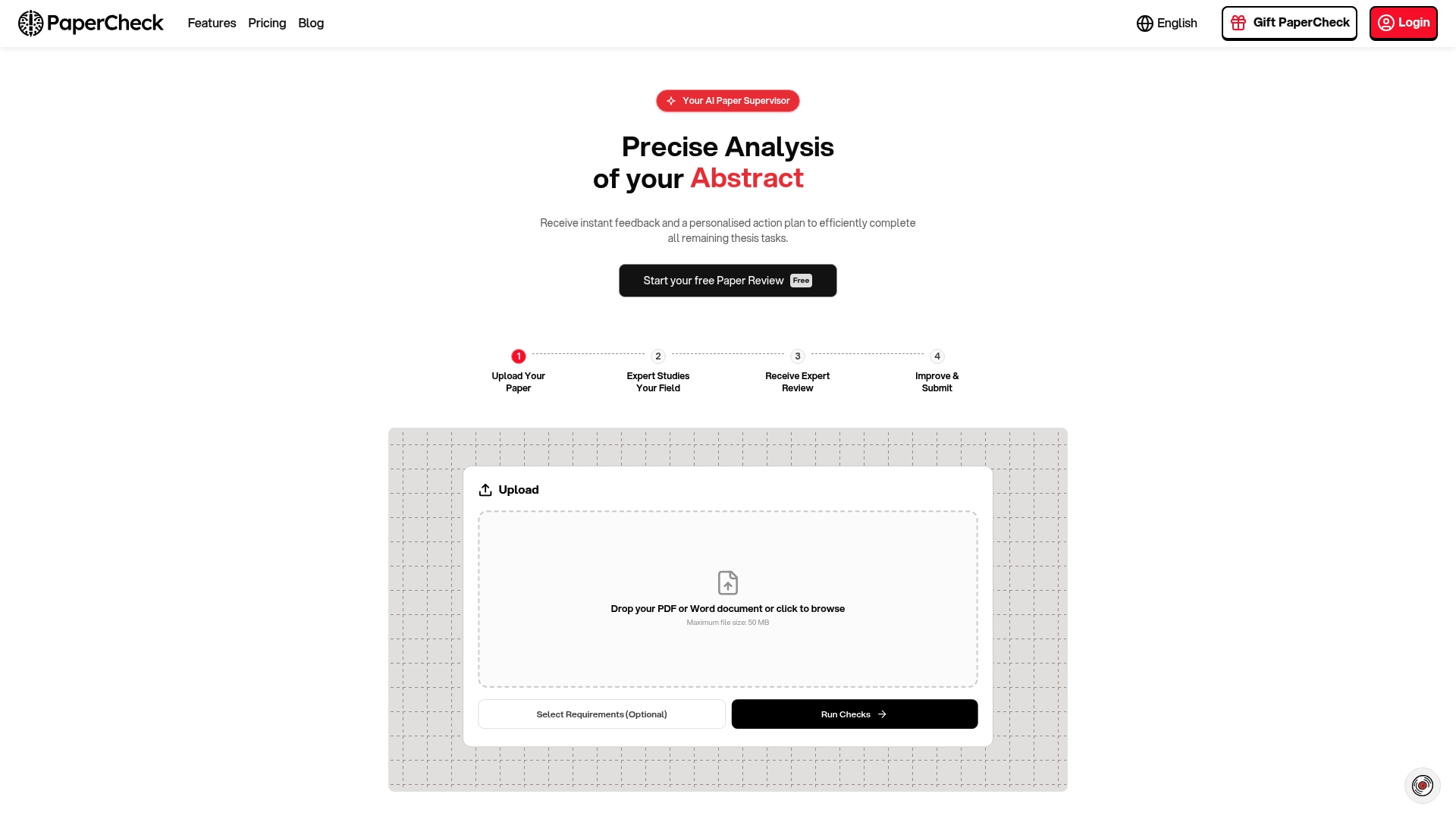
The vendor advertises full-paper feedback in about three minutes, a speed claim that dramatically shortens revision cycles for busy postgraduate writers. The vendor's marketing materials also report an 85% originality figure for its plagiarism checks, presented here as a vendor claim.
Core Features
PaperCheck runs an AI-driven comprehensive analysis that inspects structure, argumentation, citations, coherence, and language corrections.
- Citation style checks that flag inconsistencies and common reference errors across styles.
- Argumentation and coherence analysis that identifies weak logical links and unclear transitions.
- Logical error detection alongside standard grammar and language corrections.
- Plagiarism detection against very large source sets, with results reported as an originality percentage.
- Customisable checks and a defence question generator for viva preparation.
Key Differentiator
PaperCheck bundles academic-specific checks with rapid turnaround and tools for viva preparation. That mix of citation validation, argument analysis, and defence question generation targets thesis and manuscript workflows rather than generic copyediting.
Pros
- Fast turnaround. The three-minute claim above explains why students report being able to iterate drafts between supervision meetings.
- Academic-tailored checks focus on what examiners read: citations, argument flow, and logical consistency rather than only grammar.
- Customisable rule sets let you match university or journal guidelines so the report aligns with expected formatting and style.
- One-time payment model appeals to students on tight budgets because there is no ongoing subscription to manage.
- Accepts common formats including PDF and DOCX which avoids repeated copy and paste.
Cons
- Independent review coverage is limited and some users report issues such as poor machine-translation quality in feedback.
- The platform cannot currently analyse images or graphics, so figure captions and embedded tables get less scrutiny.
- AI accuracy can vary and there is no routine human verification, which means borderline plagiarism or nuanced argument problems may need manual checking.
When It May Not Fit
If your thesis relies heavily on visual data, PaperCheck will not assess charts, diagrams, or scanned figures. If independent third-party validation of results matters for institutional submission, the limited review coverage and absence of human oversight are important limitations.
Who It's For
Graduate students, doctoral candidates, and researchers who need rapid, affordable checks before supervisor meetings or journal submission. Also useful for academic professionals who want an automated pre-check to reduce time spent on routine corrections.
Real World Use Case
A graduate student uploads a 15,000-word thesis draft the evening before a supervisory meeting. Using the vendor's report and the generated defence questions, they revise argument links and tighten citations overnight and arrive at the meeting with a structured checklist for discussion.
Pricing
Plans start at $34 for the Basic tier. Plus is listed at $69 and Ultimate at $119 with larger credit bundles and expanded feature sets. Analysis consumes credits by word count with smaller documents discounted.
Website: https://papercheck.ai
Editrix
At a Glance
Supports right-to-left scripts and localisation capabilities alongside AI-assisted editing, a combination that explicitly targets markets where typography and directionality matter. The platform pairs machine suggestions with editorial workflows designed by Meru Gokhale to speed manuscript-ready drafts.
Core Features
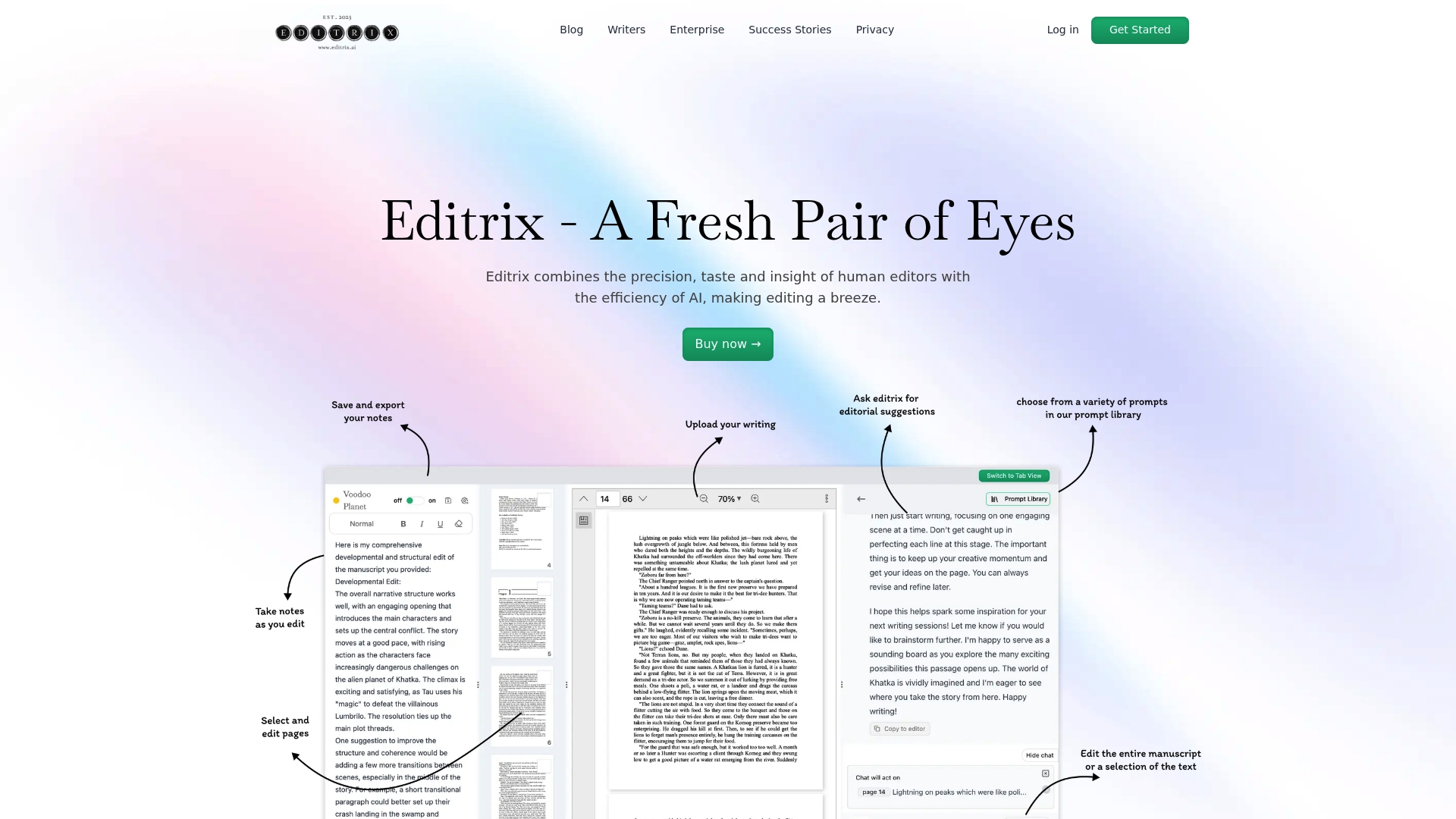
- AI-powered editing support for grammar, style, and structure tailored to different stages of a draft, from quick self-editing to near-final passes.
- Prompt library crafted for editors so you can reuse specialised prompts for genre or academic styles.
- Chat function with follow-up questions that lets you iterate on suggestions and clarify tone or intent.
- Note-taking and manuscript download options to capture editor decisions and export cleaned text.
- Support for multiple languages including right-to-left scripts and localisation adjustments.
Key Differentiator
Editrix blends automated edits with editorial sensibility rather than replacing an editor outright. Its language and typographic coverage, including right-to-left script handling, makes it useful where standard grammar tools break down. That focus shifts the product toward publishers and markets working across scripts.
Pros
- Fast editorial prototyping. The prompt library plus chat flow lets you convert a raw draft into a tidy pass in the same session.
- Helpful for localisation. The language support reduces manual rework when preparing texts for different markets.
- Designed by an industry editor. Meru Gokhale’s involvement steers feature choices toward real editorial tasks rather than generic corrections.
- Works across writing stages. Use it for self-editing, peer review, or as a pre-flight check before sending to a paid developmental editor.
- Manuscript export keeps a clean record of edits and editor notes for downstream workflows.
Cons
- The product does not claim to replace deep developmental edits for structurally complex manuscripts.
- Feature documentation is sparse so you may need time with a trial to confirm fit for specialised editorial processes.
- Pricing details require contacting the vendor which adds friction for freelancers or small teams seeking instant clarity.
- No public list of integrations means you should plan for manual handoffs to publishing systems.
When It May Not Fit
If your work demands full developmental editing with repeated, line-by-line structural overhauls, Editrix will not be a substitute. Teams needing transparent, off-the-shelf per-user pricing or native connectors to a publishing stack should look elsewhere. High-complexity proofs still benefit from a specialist editor.
Who It's For
Writers, in-house editors, independent publishers and academic researchers who want faster pre-edit passes and help with multilingual or right-to-left text. Ideal when you need an editorial-aware assistant rather than a bare grammar checker.
Real World Use Case
Editrix’s marketing materials describe a publisher in a right-to-left language market refining workflow issues and localisation gaps within four weeks by combining the platform’s AI tools with iterative editorial feedback. That four-week example shows how the tool can shorten cycles where script handling is a blocker.
Pricing
The vendor asks users to consult the website for detailed plans and enterprise pricing options. Expect tiered or bespoke packages for publishers and institutional licences rather than fixed per-seat figures on the product page.
Website: https://editrix.ai
Hemingway Editor Plus
At a Glance
Subscriptions start at $8.33/month for the individual 5K plan when billed annually and the service offers a 2-week trial. The Plus tier layers AI editing on top of the original readability checks to offer automated rewrites and tone adjustments.
Core Features
The focal capability is AI-powered sentence rewriting that proposes shorter, clearer alternatives for dense passages.
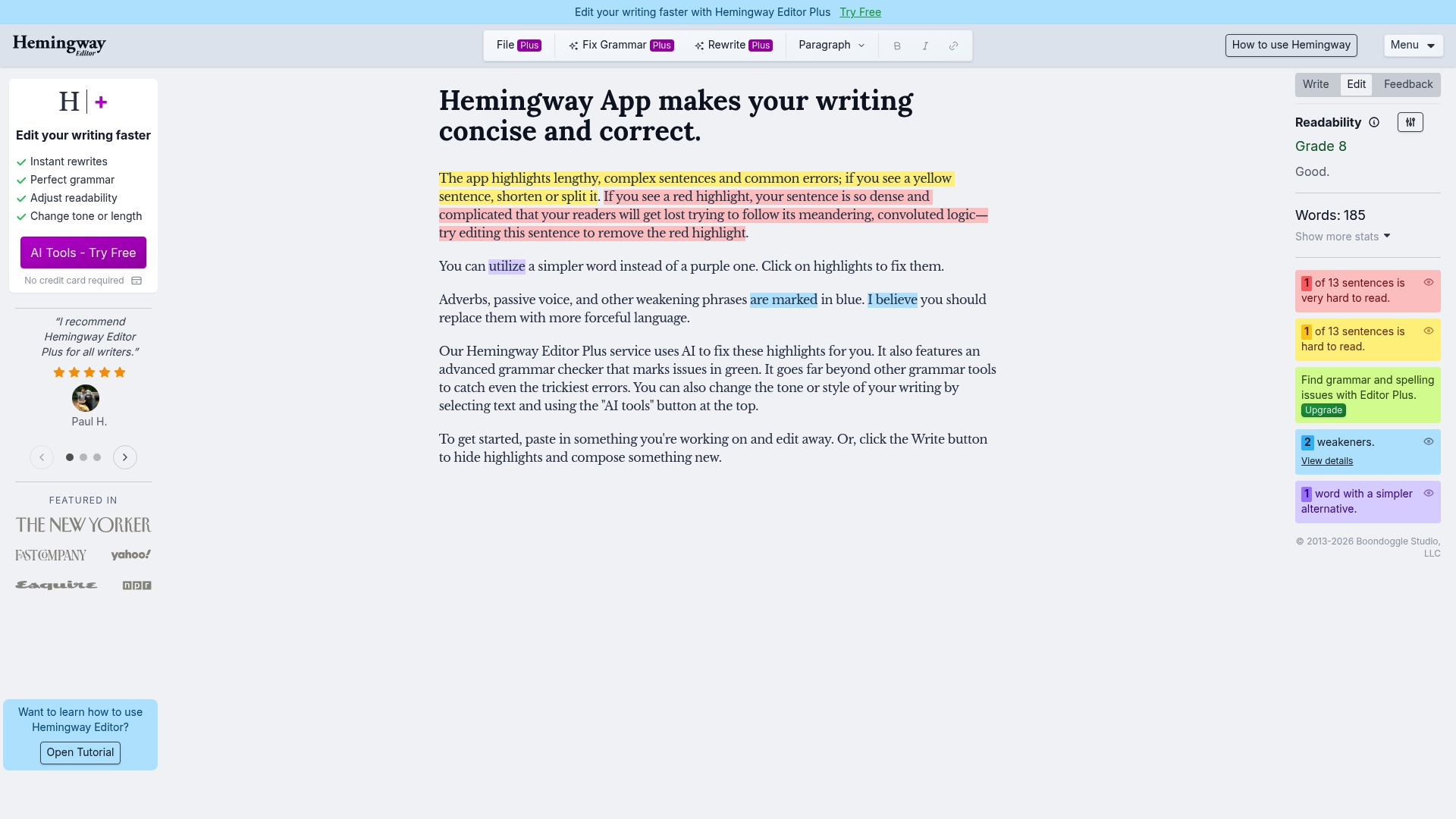
Colour-coded grammar and style highlights show sentence complexity, passive voice, and adverb use to help you edit quickly. Synonym suggestions and tone adjustment controls let you vary register without opening another tool.
Document review features in Plus provide AI feedback across a full document rather than line by line, which speeds up batch editing for longer drafts.
Key Differentiator
The defining element is the combination of automated fixes with explicit style controls. Where classic readability tools point out problems, this product attempts to rewrite sentences for you and then offers tone sliders so the same passage can read crisper or warmer depending on intent.
That approach reduces repetitive editing work for writers who prefer hands-on control over final phrasing rather than blind acceptance of suggestions.
Pros
-
Helps untangle long sentences so your meaning is clearer to readers. The colour cues let you target the worst offenders first.
-
Useful for regular drafting. Daily editors and bloggers get a visible improvement in readability without a lengthy style checklist.
-
Colour-coded highlights make decisions faster because the focus moves from diagnosis to correction.
-
Tone controls let you adjust formality quickly when repurposing a single draft for different audiences.
-
Flexible plans mean individuals and small teams can choose different monthly allowances for words and features.
Cons
-
Users report occasional tool failures or lapses where suggestions do not appear after payment. That behaviour has been noted by multiple users.
-
The simplify or rewrite function can consume more of the allocated points than some users expect, especially on long drafts.
-
Several customers mention difficulties cancelling subscriptions, creating friction at the end of a billing cycle.
-
Very long or highly complex texts still require manual passes to preserve nuance and technical accuracy.
When It May Not Fit
If you regularly edit legal briefs, dense academic papers, or long technical reports where precise phrasing matters, the automated rewrites will often require careful manual correction. Teams needing enterprise grade support or guaranteed uptime will find the reported reliability issues concerning.
Who It's For
Writers, students, and professionals who want faster clarity checks and hands-on control over tone will benefit most. Content creators who publish short to medium length pieces will see the quickest time savings.
Real World Use Case
A freelance content writer runs a 1 200 word blog draft through the tool, uses the rewrite suggestions to shorten three long lead paragraphs, and adjusts tone for a business audience. The post is ready to publish in under 20 minutes instead of an hour.
Pricing
A free 2-week trial is available. Plans begin at $8.33/month for the individual 5K plan and the 10K individual plan is listed at $12.50/month when billed annually. Team plans are priced at $12.50 per user per month on annual billing.
Website: https://hemingwayapp.com
Comparative Analysis of Editing and Proofreading Tools
Evaluating the features and trade-offs among these top-tier editing and proofreading platforms highlights their strengths and unique value propositions, assisting prospective users in selecting the best fit for their requirements.
Privacy and Data Handling
In terms of privacy measures, InspiroWrite excels by pledging not to use user-submitted content for AI training purposes, ensuring confidentiality. Other tools in this list do not detail similar commitments, which may concern users handling sensitive documents. For instance, professionals in legal or marketing fields might find this feature indispensable for protecting proprietary information.
Niche Functionality for Specific Scenarios
When focusing on features tailored to academic work, PaperCheck demonstrates clear advantages. The integrated tools for citation verification, coherence checks, and argumentation analysis—specially designed for thesis and manuscript writing—address the specific demands of postgraduate students and researchers. In contrast, Editrix supports unique requirements in localisation and script handling, fulfilling critical roles for publishers and multilingual markets. These aspects differentiate both from more generalised tools like Hemingway Editor Plus, which is optimised for improving sentence readability and tone adjustment in shorter pieces.
Customisation and Versatility
The ability to adapt tools to specific workflows varies across these platforms. InspiroWrite offers versatility through its multiple editing styles, suitable for tasks such as SEO modification or tone adjustment. Meanwhile, Editrix, though reliant on vendor consultation for setup, is attuned to editorial workflows, particularly for in-depth projects. On the contrary, Hemingway Editor Plus provides user-friendly interfaces but lacks the depth in customisation available elsewhere.
Best Fit Scenarios
- InspiroWrite serves multilingual teams and organisations prioritising confidentiality for sensitive text.
- PaperCheck is recommended for postgraduate students needing academic manuscript assistive tools.
- Editrix supports right-to-left language authors and publishing teams requiring localisation workflows.
- Hemingway Editor Plus fits writers focused on honing readability of short or informal compositions.
Our Pick
For multilingual or sensitive projects requiring rapid, high-quality proofreading with rigorous data privacy, InspiroWrite stands out. Its commitment to confidentiality and its breadth of stylistic tools make it indispensable for diverse professional applications. However, individuals focused on niche academic or publishing functions might prioritise PaperCheck or Editrix respectively, given their distinctive strengths.
Editing and Proofreading Software Compared
Identify the best software for your editing and proofreading needs by considering features like speed, automation, and advanced language support.
| Product | Core Features | Key Differentiator | Best For | Pricing | Notable Limitation |
|---|---|---|---|---|---|
| InspiroWrite | AI proofreading, multilingual support, streaming results | Refining style and tone for effective language conversion | Writers, students, multilingual teams | Free; Pro from €4.99/month | Business tier requires quote and negotiation |
| PaperCheck | Academic checks, citation validation, plagiarism detection | Fast, comprehensive analysis for manuscripts | Researchers, doctoral candidates | From $34 | Limited accuracy for nuanced or visual content |
| Editrix | Multilingual support, right-to-left text, editorial workflows | Combining AI and editorial sensibility | Publishers, academic researchers | Pricing upon request | Lacks native integration with publishing systems |
| Hemingway Editor Plus | Sentence rewrite, tone adjustment, readability highlights | Automated rewriting with hands-on tone control | Content creators, bloggers | From $8.33/month | Reports occasional tool reliability issues |
Discover a Privacy-Focused Alternative to editorr.com for Faster Proofreading and Translation
Are you searching for editorr.com alternatives that combine speed with confidentiality? InspiroWrite offers a unique solution tailored for writers and non-native speakers who need precise grammar, style, and translation corrections without worrying about data privacy. Unlike many options, InspiroWrite keeps your content confidential and does not use it to train AI models, ensuring your sensitive drafts remain secure.
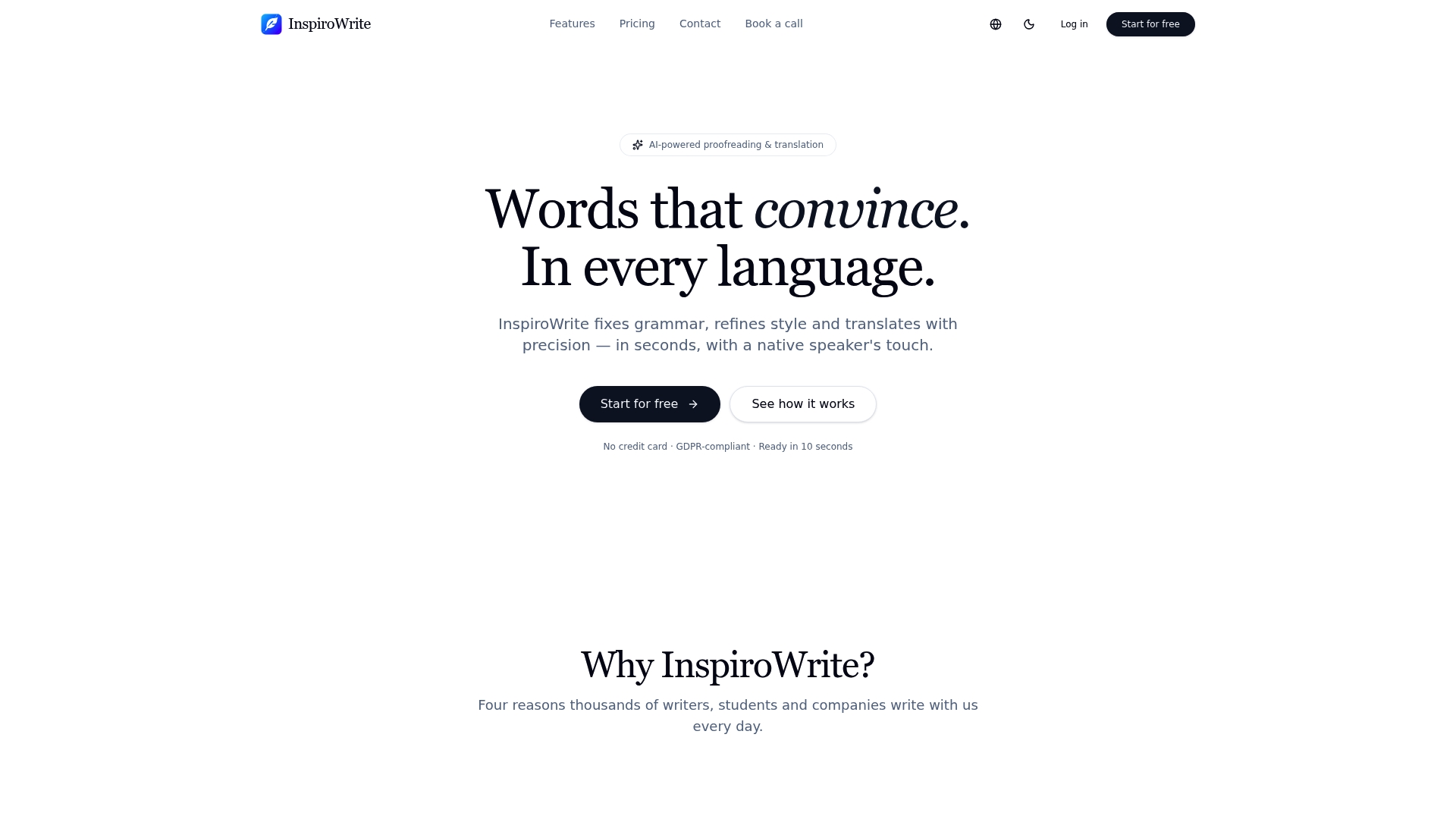
Take control of your editing process with lightning-fast suggestions and multilingual support designed to improve drafts within seconds. Visit InspiroWrite today and experience a proofreading and translation service that respects your privacy while delivering instant, effective improvements. Try InspiroWrite now and see your writing polished with speed and discretion.
Frequently Asked Questions
What are the key benefits of using Inspirowrite for proofreading and editing?
Inspirowrite offers fast, automated editing that helps writers and students improve drafts quickly. It features AI proofreading for grammar, style, and tone across various text lengths, which can significantly reduce revision time. You can expect to enhance your writing efficiently by using this powerful tool.
How does Inspirowrite compare to PaperCheck in terms of academic support?
PaperCheck excels in providing academic-specific checks, including citation style verification and argument analysis, which is crucial for thesis and manuscript workflows. Inspirowrite, on the other hand, is more suitable for general editing and proofreading needs and may not cater specifically to the academic format requirements as comprehensively as PaperCheck does. Consider using Inspirowrite if you require quicker, more general proofreading across multiple languages.
Which feature makes Inspirowrite the better choice for multilingual teams?
Inspirowrite's multilingual support covers languages like German, French, Spanish, and Hungarian for both proofreading and translation. This feature allows teams to manage their language needs without switching between different tools, making it a practical choice for multilingual companies.
Does Inspirowrite have any privacy guarantees?
Yes, Inspirowrite prioritises user privacy by ensuring that user content remains confidential and is not used to train AI models. This can be especially beneficial for in-house marketing and legal teams that handle sensitive drafts and require fewer data concerns.
What pricing options are available for Inspirowrite?
Inspirowrite offers a free tier for occasional users, with a Pro option starting at 4.99 €/month for individuals needing regular access. This flexible pricing is ideal for various user levels, from casual to frequent users.